
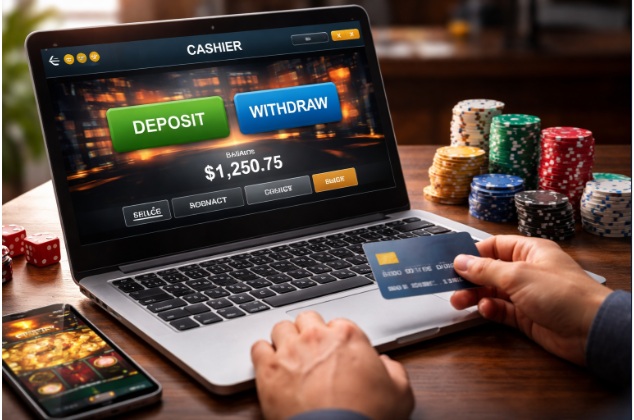
Entertainment spending can be difficult to track when payments are spread across streaming services, games, subscriptions, digital purchases, and other online activities. A series of small transactions may seem manageable individually but become expensive when combined over a month.
Automated entertainment caps can help by making spending visible and providing alerts when a budget is approaching its limit. They are not a substitute for financial judgment, but they can reduce reliance on memory and make it easier to notice patterns before they become problems.
What Is an Automated Entertainment Cap?
An entertainment cap is a maximum amount allocated to optional leisure spending over a defined period. An automated cap uses a budgeting tool, bank feature, wallet control, or notification system to track spending or alert you when the limit is approaching.
Depending on the tool, the cap may simply provide information rather than physically block a payment. Some banking services allow users to restrict certain transactions, while budgeting apps may only categorize purchases and display totals.
Understand which function your chosen tool performs before relying on it.
Step 1: Calculate Your Monthly Budget
Start with your income and essential financial commitments. Account for housing, food, utilities, transport, insurance, debt payments, savings, and other necessary costs.
Then review what remains available for optional spending. Entertainment should fit within that amount without depending on credit, borrowed money, or future income that is uncertain.
A simple budget might separate spending into categories such as:
| Category | Examples |
| Essential expenses | Housing, groceries, utilities, transport |
| Financial priorities | Debt payments, emergency savings, planned savings |
| Entertainment | Games, films, subscriptions, events, optional leisure |
| Flexible reserve | Unplanned but nonessential purchases, if affordable |
The figures should reflect your own circumstances. If essential expenses are not covered, an entertainment cap may need to be zero until the situation improves.
Step 2: Choose the Right Tracking Tool
Different tools serve different purposes.
Budgeting apps can group transactions into categories and show how much you have spent during a month. Some require you to enter transactions manually, while others connect to supported financial accounts.
Banking apps may offer spending summaries, transaction alerts, card controls, or merchant restrictions.
Digital wallets may provide transfer limits and notifications, although not all wallets support category-specific budgets.
Spreadsheet trackers offer flexibility and can work without linking financial accounts, but transactions may need to be entered manually.
Choose a tool that is easy to review, has clear privacy practices, and supports the level of automation you actually need.
Step 3: Create an Entertainment Category
Set up one main category for optional entertainment. If your tool supports subcategories, you might separate subscriptions, gaming, events, digital purchases, and gambling-related spending.
Avoid creating so many categories that the system becomes difficult to maintain. The aim is to see the total clearly, not to make tracking unnecessarily complicated.
If a transaction is miscategorized, correct it. An accurate monthly total is more useful than a sophisticated dashboard with incomplete records.
Step 4: Set a Monthly Cap and Alerts
Choose a limit based on your available budget rather than what an app suggests you can afford. If the tool allows it, create an alert when you have used part of the budget and another when you reach the maximum.
For example, a hypothetical $120 monthly entertainment cap could trigger a reminder at $90 and a stronger alert at $120. These are illustrative amounts, not a recommended budget.
If your tool supports only notifications, remember that an alert does not necessarily prevent another transaction. You still need a clear rule for what happens after the cap is reached.
Step 5: Define What Counts as Entertainment
Consistency matters when calculating spending. Decide whether your category includes:
- Streaming subscriptions.
- Video games and downloadable content.
- Digital purchases and in-app transactions.
- Cinema, concerts, and other events.
- Optional online memberships.
- Gambling-related deposits and fees, where applicable.
Essential bills should not be moved into an entertainment category simply to make the budget appear healthier. If you track gambling, record deposits and withdrawals carefully and distinguish them from other entertainment expenses.
Step 6: Review the Cap Every Month
At the end of the month, compare actual spending with the limit. Ask whether the budget was realistic, whether any purchases were unexpected, and whether a particular service or activity accounted for a large share of the total.
A monthly review should not automatically lead to a higher cap. If spending repeatedly exceeds the limit, look for subscriptions to cancel, unnecessary purchases to avoid, or controls that could help you stay within the original amount.
Adjust future budgets only after reviewing essential expenses and financial priorities.
Step 7: Add Stronger Controls for Gambling-Related Spending
If gambling is included in your entertainment category, a general spending alert may not be enough. Depending on the provider and location, you may be able to set gambling-platform deposit limits, payment blocks, time reminders, cooling-off periods, or self-exclusion.
These controls differ in what they restrict. A wallet transfer limit may not track losses, while a gambling-platform deposit limit may not cover other accounts or payment methods.
If you find yourself bypassing limits or spending money needed for essential expenses, stop gambling and consider stronger restrictions and professional support.
Protect Your Financial Data
Automated budgeting tools may request access to sensitive transaction information. Before connecting an account, review the provider’s privacy policy, permissions, security features, and data-retention practices.
Use unique passwords and multifactor authentication where available. Avoid sharing banking credentials with unverified services, and disconnect access you no longer need.
If you prefer not to connect your financial accounts, a spreadsheet or manual transaction log can provide a simpler alternative.
Conclusion
Automated monthly entertainment caps can help turn a vague spending intention into a visible financial boundary. By calculating an affordable budget, choosing an appropriate tracking tool, categorizing transactions consistently, and setting alerts, you can make optional spending easier to monitor.
The system works best when paired with a clear stopping rule and regular reviews. Automation should support your decisions, not encourage you to spend up to the maximum or ignore signs that your finances need attention.
FAQs
Do entertainment caps automatically block spending?
Not always. Some tools provide alerts or summaries, while others support payment restrictions. Check the features and limitations of your chosen provider.
How much should I set aside for monthly entertainment?
There is no universal amount. It depends on income, essential expenses, debt, savings goals, and other obligations. Entertainment should not come at the expense of necessities.
Can I use a spreadsheet instead of a budgeting app?
Yes. A spreadsheet can track dates, categories, amounts, and monthly totals without connecting to a bank account. The trade-off is that you may need to enter transactions manually.
What if I regularly exceed my monthly cap?
Review your transactions, stop nonessential spending where possible, and consider stronger controls. If gambling is involved and you cannot stay within your limits, consider a break, self-exclusion, or professional support.